
Plantronics BackBeat GO Support and Manuals
Get Help and Manuals for this Plantronics item
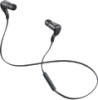
View All Support Options Below
Free Plantronics BackBeat GO manuals!
Problems with Plantronics BackBeat GO?
Ask a Question
Free Plantronics BackBeat GO manuals!
Problems with Plantronics BackBeat GO?
Ask a Question
Most Recent Plantronics BackBeat GO Questions

Manual Wireless Earbuds Backbeat How To Pair Device
(Posted by gizesai 9 years ago)

My Plantronics Bbtgo Bluetooth Headset Volume Control Will Not Adjust Upward
Volume up doesn't work but volume down works. Trying to reset to factory settings so I can at least ...
Volume up doesn't work but volume down works. Trying to reset to factory settings so I can at least ...
(Posted by lest53447 9 years ago)

How To Reset Backbeat Go
(Posted by daiMaKe 9 years ago)

How To Connect My Backbeat Go To Pair To 2 Devices At The Same Time
(Posted by yrriPinna 9 years ago)

Plantronics Backbeat Go Will Not Pair With Windows 8
(Posted by wendEns 9 years ago)
Plantronics BackBeat GO Videos

Plantronics BackBeat Go Wireless Stereo Bluetooth Headphones Unboxing
Duration: 2:05
Total Views: 2,836
Duration: 2:05
Total Views: 2,836
Plantronics Backbeat Go iPhone
Duration: :39
Total Views: 431
Duration: :39
Total Views: 431
Plantronics BackBeat GO Headset review en unboxing (NL/BE)
Duration: 3:13
Total Views: 1,470
Duration: 3:13
Total Views: 1,470
Plantronics BackBeat Go Bluetooth Headset Review
Duration: 6:27
Total Views: 13,522
Duration: 6:27
Total Views: 13,522
Popular Plantronics BackBeat GO Manual Pages
User Guide - Page 1

LEARN MORE
WIRELESS STEREO
Designed in Santa Cruz, California
User Guide - Page 2

...Please read the safety guide for full charge
C LED (right earbud)
B
C
D Volume, tracking and mute
• Volume up
(press until fully charged)
• 2.5 hours for important safety, charging, battery and regulatory information before first use (LED is red until LED flashes red/blue)
• Check battery level (1 tap when power is on + or
- TAKE A LOOK
A Calls and streaming...
User Guide - Page 3

...On > Search for devices
Android™ smartphone: Wireless & Networks > Bluetooth: On > Scan for devices
3. The LED flashes red/blue to confirm connection after pairing. Pairing new phone/reconnecting original:
With earbuds turned off , activate Bluetooth pairing mode by pressing Power/Pairing button.
If device asks for more detail. The earbud's LED will stop flashing red...
User Guide - Page 4

... back area of your ear.
For additional support, place the optional stabiliser behind the eartip.
TRY IT ON
The right fit = the best audio:
For the best sound performance and a secure, comfortable fit, be sure to adjust the earbuds to find the eartip that works best for you. Use the provided fit kit to rest gently in your ear and drape around the...
User Guide - Page 5

Switch Devices
BackBeat GO does not support multipoint connectivity, so it can only recognise and remember one paired device at first try a new pairing.
5 For some phones and tablets, if reconnection by selecting "PLT_BBTGO" from using your smartphone to your BackBeat GO earbuds. For example, each time you will need to delete "PLT_BBTGO" from the list and try , you need...
User Guide - Page 6
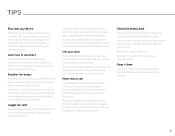
... will hear a beep, indicating the switch is lost connection. Once you long-press certain buttons (more than 15 minutes call on hold by pressing the Call button for a command.
TIPS
Stay near your device:
Bluetooth has a working "range" of your body.
You can 't, then tap the Call button once or manually reconnect via your phone's Bluetooth menu.
User Guide - Page 7
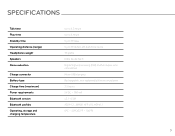
SPECIFICATIONS
Talk time Play time Standby time Operating distance (range) Headphones weight Speakers Noise reduction
Charge connector Battery type Charge time (maximum) Power requirements Bluetooth version Bluetooth profiles Operating, storage and charging temperature
Up to 4.5 hours Up to 4 hours Up to 10 days Up to 10 meters (33 feet) from device 13 grams 6mm neodymium Digital Signal ...
User Guide - Page 9

... U.S. and other trademarks are the property of their respective owners. 87615-07 (05-12)
AЯ46 EEE Yönetmeliğine Uygundur Bluetooth is under license. and any use by Plantronics is a registered trademark of Apple Inc., registered in the U.S. All Rights Reserved. BlackBerry is the property of Research In Motion Limited and...
Plantronics BackBeat GO Reviews
We have not received any reviews for Plantronics yet.